


Everyone has read or heard about articles claiming, “sitting increases your chances of early death.” While seemingly sensationalist, they are basically true, but that’s too intangible to be useful. When you’re thinking about the actual, concrete health benefits of an adjustable computer table, it’s more helpful to know exactly how your body reacts to sitting and what that adjustable electric deskstops and prevents. Plus, there is a lot of surprising adverse health effects caused by sitting.
The basic effects of sitting stem from the fact that very little of your body below your mid torso is actually doing anything. It’s all resting. Immediately after you sit down, electrical activity in your core and leg muscles slows down as the muscles relax. Your body’s calorie consumption begins to slow and if you remain sedentary without moving for about an hour, it reaches a floor of about one calorie per minute. Your heart rate also drops, and some data suggests that all these decreases in activity actually precipitate or at least are correlated with a minor decrease in electrical activity in the brain. And over time, these decreases in activity become more permanent, which is part of what increases your likelihood of chronic illness.
When you don’t use your muscles, your body allows them to atrophy to save energy. Why would you want big, energy-consuming muscles just sitting there, doing nothing except eating up your resources? This includes the major components in movement – hamstrings, quadriceps, the gluteus – they all atrophy. And when you spend more than four hours a day sitting, at least five days a week, that’s a lot of signals to your body to get worse at standing and walking
Furthermore, those muscles and the tendons around them also shorten, tighten, and harden. When you are sitting, your hamstrings and hips are in a shortened position. They adapt to that, which affects your ability to exercise and even hold your body erect while standing. This contributes to future pain, discourages physical activity, and makes injuring yourself while doing something simple like moving boxes more likely.
But there’s more. Moving and stimulating muscle contraction also encourages blood flow back to the heart, helping your body remove toxins from your extremities consistently and preventing the buildup of fluid. If you do it for long periods of time without moving, you body has to process all that stuff in short, intense bursts, and it doesn’t all get removed.
Fortunately, if you decrease the time you spend sitting to fewer than four hours a day, and even more powerful if you move from seven or eight hours to below four hours, you can stop these effects and begin to reverse them. An adjustable computer table that lets you stand while you work is a great way to do this. Not only will you feel perceivably better in terms of your physical body, you’ll have more energy and focus because of that increased electrical activity, and you won’t be as likely to die early.
Modern life can take a toll on the human body, perhaps more so if you don’t lead an active life. By the time you reach middle age, you probably have a number of minor aches and pains, and possible a significant physical ailment of some kind. The good news is that an adjustable height deskcan help relief a wide range of discomfort caused by these common pains. You will be surprised at just how much better you will feel with an electronic deskthat changes from a seated position to a standing position.
The most common problems a standing desk can help solve involve issues that you develop from sitting at a computer too long: a sore lower back, tight shoulders, neck ache, tight hips, and wrist problems. The last thing you want is back problems from sitting at a desk for too long, which is why standing can help fix them.
But other issues that you may have developed along the way also respond. For example, knee and lower back injuries from sports during your younger days usually manifest themselves as aches that are especially uncomfortable by the end of the day and as you get ready for bed. This is generally the same way a knee or hip behaves, if you had surgery in the past. Your body tends to react to injury and weakness in two ways: muscles around that area get tighter to compensate for the weakness, and tendons tighten to offer extra support.
Or even if your problem is relatively minor, such as exhaustion or tightness from exercising, an electronic desk that lets you stand at work can help. When you work out hard, less worked muscles tend to step in and help compensate for tired muscles’ weakness for the rest of the next day or two. Sore muscles also get tight while recovering unless you stretch them regularly. Both of these conditions can lead to tight hamstrings, quads, shoulders, arms, and lower back. And all of that tightness makes you uncomfortable after sitting hunched over a desk all.
These are just some of the most common reasons people have knee, hip, back, shoulder, arm, wrist, and neck pain. But the reason the specific experience translates to a reduced range of motion and physical discomfort is usually a combination of tight muscles and tendons.
When you stand up, you naturally stretch your hip flexors and your hamstrings. You also tend to hold your torso more erect, assuming your keyboard is at the right height. Just the simple act of being on your feet instead of sitting for a few hours a day, getting that extra stretching instead of leaving tight muscles and tendons in the shortened position tends to have dramatic effects on your physical comfort in as little as one day. It’s a great reason to try a standing electronic desk if you’re not feeling great.
If you think you need height adjustable desks for better ergonomics in your workplace, you might want to consider conducting an ergonomic evaluation of your office and your specific desk and space. Height adjustable tablescan be part of a comprehensive solution, but you need to understand all the features of the workspace to create a truly healthier environment. Follow these steps and ask these questions to conduct a basic evaluation and identify issues that need attention.
If you are just evaluating your own workspace, start with the basics. You probably spend more than four hours a day at your desk, but you should also identify any other positions or tasks that get that level of attention from you each day. Also look for other risk factors like routine and repetitive motions that you make frequently and positions that you hold for extended periods. These risk factors give you an idea of where you need to evaluate ergonomic conditions.
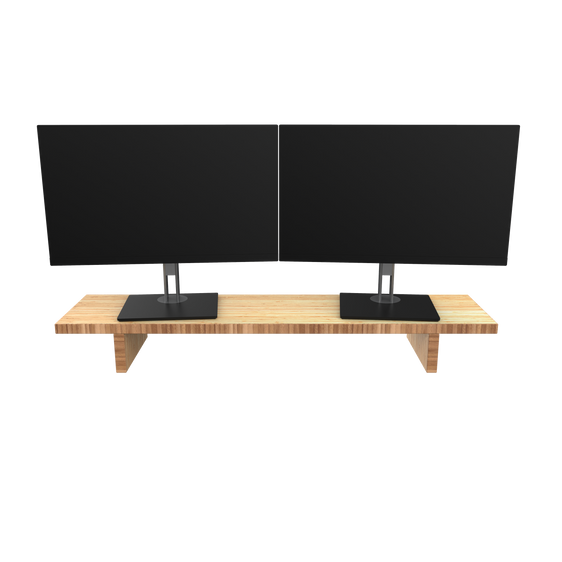
Looking at your computer desk, there are a number of questions to ask, starting with your head and neck. Is the top of the screen at eye level? If it is lower than that you need to find a way to raise it up, whether you’re sitting or standing at a height adjustable desk. If you frequently look at things to the side of the monitor, how far to the side are they? Do they require you to turn your head more than 30 degrees? If so, you’re at risk of injuring your neck and putting excessive stress on your upper back by repeatedly turning your head.
Next, focus on your back and shoulders. When you sit in your chair, is your lower back supported and upright, not hunched or overly arched? If not, you need to adjust the height of your desk and get a new chair, or better yet, figure out the right height for an adjustable desk to achieve that same posture improvement. When your hands sit on the keyboard, do your elbows hang naturally at your sides, bent at slightly more than a 90-degree angle? If not, and depending on whether or not your wrists are supported, change the height of your keyboard and chair.
You can conduct this same analysis in other parts of your office, such as around the copy machine, where repetitive motions are common. Look for where shelves and supplies are positioned relative to the place where the worker would stand and evaluate how much stretching, reaching, turning, bending, and crouching are necessary. Although an adjustable desk won’t help, moving things to reduce repetitive motions and make them more comfortable will create a more ergonomic workspace.
Even if you are completely confident that height adjustable desks will make for a more ergonomic and healthy computer workspace, it is important to conduct this simple evaluation. If you take the time to identify risk factors and work patterns that are not ergonomically healthy, you can make the basic adjustments necessary to keep yourself healthy.
If you adopt an adjustable tableat work, you are going to spend a lot more time on your feet. This is good for your overall health, but you do need the right footwear to get the most out of ergonomic adjustable desks. Spending several hours standing is not easy on your leg and back muscles. Just ask any waitress. So here are some tips to protect your feet and make your legs and lower back just a bit more comfortable now that you’ve adopted a healthier work style with a standing desk.
The most important thing is to have a pair of comfortable shoes that provide adequate, even support. Think about the kind of shoes nurses wear. They look vaguely athletic, although without the thick, sporty heel padding of expensive trainers. Nurses favor their utilitarian, reliable, and supportive design because they minimize aches and pains while spending all day on your feet. Although most professionals cannot commit the fashion crime of wearing such practical, unattractive shoes, we can draw inspiration from nurse shoes to identify more ergonomic options.
High heels, for example, are not good for those who want to spend a large portion of their work day standing. They force the feet into an unnatural posture and also put a disproportionate amount of the body’s weight on the toes and ball of the feet, instead of distributing it evenly. But there are sensible alternatives to high heels, including lower heels and flats, that offer a compromise between style and ergonomics. Shoes that have wider, shorter heels, don’t have a narrow, crowded, pointy toe box, and are made of soft, conforming, natural leather afford a number of benefits for women’s feet. And if sensible shoes are not an option for when you walk in the door, keep a pair of work-appropriate healthy shoes at your desk to wear while you’re standing at your desk.
Men have it slightly easier, because the average men’s dress shoe requires only a few minor changes to be foot-healthy and perfect for standing at an adjustable table. Good choices provide arch support, distribute weight evenly throughout the foot, and keep the foot close to the ground – just like those nurse shoes do. The most important thing to do when looking for healthy men’s work shoes is to actually try the shoes on and walk around in them. This makes buying a new pair of shoes online more difficult, but it’s worth it if they are actually healthier.
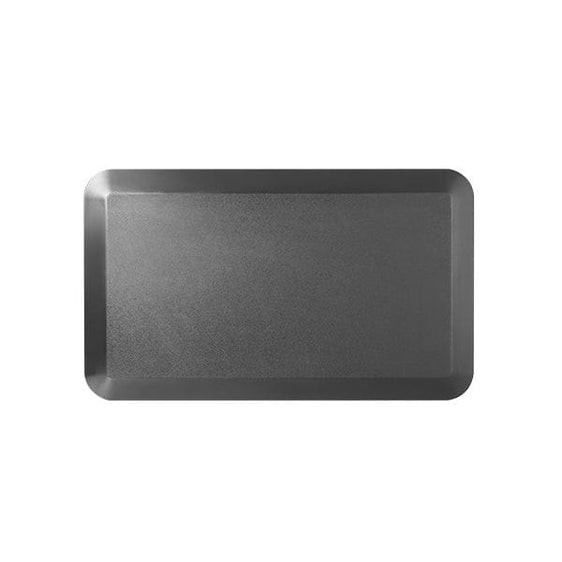
The other option is a fatigue pad. It is similar to a rug that you place on the workspace to soften the ground and make standing more comfortable. It decreases the floor’s impact on leg muscles and joints, which further helps create an ergonomic workspace.
An adjustable desk is a huge step in the right direction and will certainly make you healthier and happier, and probably more productive. But if you’re going to change your routine and spend a number of hours on your feet, you owe it to yourself to invest in some healthier shoes to protect your legs and joints.
Ergonomic adjustable desksthat let you work standing up are a great start for spinal and general health in the workplace. If you’re going to spend seven hours clicking around for work, the least thing you can do is not put your body into a coma by sitting the entire time. But you can do more, complimenting your ergonomic adjustable table with proper lighting. In fact, lighting and establishing proper distance between your face and the computer screen is the most important thing you can do at work for the health of your eyes.
The average desk lamp combined with mediocre ceiling lights are not enough to protect your eyes. The problem is that a computer monitor’s strong light creates a harsh contrast that can strain and injure the eyes. Other common, computer-related lighting problems include glair, other harsh lighting contrasts such as windows behind the computer, unnatural lighting tones that increase strain, and general eye fatigue. There are a number of simple steps you can take to create a more ergonomically lit work environment.
First, keep in mind the general idea that you want warm, even, natural light diffused throughout the area around your computer to create less contrast. The easiest way to do this is to start by setting up your desk so you computer is perpendicular to a natural light source. Natural sunlight diffusing through a window creates the perfect amount of lighting during the day. You can supplement this with a few artificial lighting options that are especially necessary when it’s dark outside.
The first is a floor lamp – not some awkward, halogen ceiling lights that create glare on the monitor, and not a narrow, desk spotlight, but a conventional floor lamp that will flood the room with warm, even lighting. If that’s not an option you can use a lamp at your desk, but it needs to be an older style room lamp that throws soft light across your entire desk and behind the monitor, not just one bar of light beaming down onto the screen. If you have to use an adjustable desk lamp, the pros say it should be roughly 15 inches above the desk and aimed to create even lighting.
After that, other options include under-shelf lighting and more advanced tools like specialized bias lighting that synchronizes with the colors on the screen to control overall contrast. But if you take the basic steps above, the only remaining task to get the most out of your adjustable desk is changing your habits.
No matter how good your lighting or how effective ergonomic adjustable desks are, you should also take breaks. For the eyes, use the 20-20-20 rule; for every 20 minutes of work staring at a screen, spend 20 seconds looking at something at least 20 feet away. For the rest of your body, take a five-minute walk around the office to get a drink of water once every 45 minutes or hour or so. Giving your entire body a short chance to reset will increase focus and productivity, as well as protect your body. You will feel better and more productive when you combine breaks with effective lighting and an ergonomic desk.
One of the many side effects of desk and computer-oriented life is the proliferation of neck, back and shoulder pain. Tiling your head at weird angles, repetitive typing, and any number of other unnatural positions and motions lead to discomfort and pain in joints and muscles. You can alleviate a number of them with an adjustable tableor desk that lets you stand while working, especially if your lower back is a concern. But that takes time. These stretches offer more immediate relief if you’re in pain now and want to work out those knots and muscles strains before your height adjustable tableis ready.
1. Stretch your back and shoulders against a wall
“Forward head” is one of the names for slouching in the shoulders and neck. With the shoulders rolled forward and the neck leaning forward, the upper back and neck have to strain to hold the head up. This happens to a lot of people who sit at computers and hunch over the monitor, but you can retrain your body to not do this.
Stand with your back against a wall and arms resting at your sides. Your heels can be against the wall or a few inches off of it. Gently press your back, shoulders and neck towards the wall. Don’t strain or do anything that hurts, but you should feel a gentle stretch across your chest and the front of your shoulders. You can emphasize the shoulder stretch by raising your hands up above your shoulders, as if in a “don’t shoot, I’m innocent” pose. Your elbows and the back of your hands should touch the wall, as your back should continue to do. If you can press your hands against the wall with your elbows above your shoulders try and draw your elbows down towards your sides to intensify the stretch.
2. Stretch the back of your shoulders and your upper back while seated
In a upright position with your shoulders and spine in a neutral position, bring your arms above your head and cross your wrists. Rotate your hands inward so each hand can grasp the palm of the other, and press your arms against your ears. Roll your upper back forward and bring your arms and head down so your arms are parallel with the ground. You should feel a gentle stretch across your upper back, shoulders, and neck. You can intensify the stretch by driving your hands further forward using your shoulders.
This can relieve some of the tightness from typing on a keyboard all day.
3. Stretch your arm across your chest
While seated or standing, bring your left arm across the front of your chest. Put the inside of your right elbow on your left elbow and pull your left arm in towards your body while pushing your left shoulder across the torso. Don’t rotate your body, but do gently look to the left. You should feel a stretch in your left shoulder and chest, as well as the right side of your neck. Repeat on the right side.
These three simple stretches are something you can do regularly at work for an immediate impact on shoulder, neck and back pain and posture. So even while you’re waiting to get your new adjustable table set up you can start addressing some of your physical discomfort.
We keep talking about the advantages of standing at work by using an adjustable height desk. “Get on your feet with an adjustable height table to protect your heart and relieve all kinds of aches and pains,” we say. Some people worry that standing will interrupt their ability to do work, but when you look at the most common tasks people complete every day, it’s clear that standing doesn’t get in the way. So here are a few suggestions of common work activities that you can do while standing and at the same time still be 100% as efficient as you would be sitting.
You can:
Read and respond to emails;
Read research articles and data for your next meeting;
Peruse and correct Powerpoint;
Run a statistical analysis model;
Sit in on a call;
Chat with friends;
Read the news during your break;
Watch a video of a presentation; and
Call clients
Those are pretty obvious because they all involve the computer or the phone. Whenever you are going to be interacting with one tool and reading something, it makes sense that you could do it just as well standing. But there are some less obvious tasks you can do at work while standing:
Fill in your planner or schedule
Hand-edit or annotate anything printed on paper
Highlight a script to give people their cues
Address and stamp envelopes
Sort papers and mail
These are the kinds of tasks people think require a lot of movement and access to space, and for some reason this means they think such tasks must be performed while sitting down in order to be more efficient. But writing and sorting are just as easy to do standing as sitting, and perhaps easier if you have multiple stacks of papers that require you to reach across the desk.
This list is long and suggests a number of similar activities, and for most people they will take up the majority of the day, meaning many could actually do nearly all their work standing. And if you’re standing at your desk for 75% of your day, you’re already winning and getting these benefits. But there are a few activities that might be easier or more efficient sitting down such as:
Scratching your feet
Picking your pencil up off the floor
Reaching the outlet to unplug your mobile phone charger
Getting papers out of the bottom drawer of a filing cabinet
Plugging your headphone into the back of your computer tower if it’s on the floor
Claiming the “five-second rule” on the cracker you dropped
In all seriousness, the only arguably legitimate reason a person would benefit from sitting at work instead of standing is because they need to rest their legs. And sitting down when you are tired does feel good. But the point is that you can and should spend more time standing at work, whether you have a height adjustable table or not. Look for work situations where you can just stand up, and maybe pace around your office, like while you’re on hold and have the phone on speaker. Until you get the right, multi-height table set up, this is the best solution. Your body will thank you in a few years.
One of the less common ways people use height adjustable desks is to provide a comfortable work surface for someone in a wheelchair. Height adjustable tables make it easy to set a desk or table to the perfect height so that it accommodates the space requirements of the chair. Adjustable electronic desks are even better, because they make it so much easier to get the height right, even if the user is unable to operate a manual crank.
With an electronic adjustable desk, getting the right height is simple. There is a button to raise it and a button to lower it. As long as the desk is plugged in and nothing is blocking it from elevating or lowering, anybody can operate it. This is a huge benefit in homes and schools where specific desks are designated for use by people in wheelchairs or with other special needs, but which are also used by other students when one with a special need is not present.
Aside from being easier for teachers to use in classrooms, electronic adjustable desks are also more useful in homes because anybody can operate them. This is specifically helpful because people confined to wheelchairs and motorized chairs often find cranking a manual adjustable table very challenging if not impossible. But when they have the option of setting the right height with just the push of a button, it creates an entirely new range of options.
With an adjustable table that can be adjusted by someone with a physical disability, the family is forced to dedicate space to accessible furniture that is only useful for a person in a wheelchair. This is particularly difficult for low-income families that don’t have the physical space in their homes to have multiple separate tables and desks, nor the financial freedom to purchase doubles of their furniture. An electric desk that can be adjusted to conventional heights, to the right height to fit a wheelchair, and even taller for standing work addresses this problem, freeing up valuable space in the home and eliminating the need to buy redundant furniture.
Just as having an easily adjustable height table in classrooms allows educators more physical seating options because they can tailor the desk’s height to the needs of each class, so too can a family maximize their space efficiency and the reach of their dollar. Not only does it give people with physical disabilities more independence to utilize a height adjustable desk, it helps families with family members in this condition meet everyone’s needs more easily and affordably.
Although proper ergonomics play an important role in determining how efficient your home office is, there are a number of other steps you can take with your office’s design to improve your productivity at home. This includes finding the right ergonomic adjustable table, getting the rest of your desk and office in order, maximizing comfort, and keeping everything you need in comfortable access. Designing a home office that can accommodate the motions of ergonomic adjustable desks makes that process even more complex.
The most important attributes of an effective office are comfort, minimized distractions, and having everything you need organized and within easy reach. Comfort requires a good chair and desk as well as a monitor at the right height. For those who use a laptop, an external mouse and full-sized keyboard are also necessary. But because you are also maximizing physical health by using an ergonomic adjustable table, you have to plan your table and keyboard height to be comfortable sitting and standing.
Keeping everything organized and the necessary items within reach is especially important and difficult in an efficient, ergonomic office. Great offices use empty wall space for shelving to keep clutter and items you use less often out of the way. This includes old files, extra cords and discs, and all the other stuff that you accumulate and need in your office. Most extremely efficient offices also integrate two desks to maintain free desk space, hold the printer, and support things like an in/out box. But with a desk that raises up to be more than a foot taller, your options for shelving are more limited, and unless you get an adjustable corner desk, you will have to cope with a desk that has two heights when in the standing position.
So one of the first ways you can maximize your efficiency is by finding an alternative for wall shelving and an extra desk. A simple option is a deep, floor to ceiling bookcase. You can install it on one side of the desk so that it will still use empty wall space without getting in the way of elevating the desk, you can still reach one or two shelves from your chair while sitting, and it thus allows you to move objects off the desk to free up space.
Another tool to help you keep your ergonomic office efficient is using floor lamps for lighting. They will ensure that you have enough light to see everything on your desk, but can’t accidently fall over when you adjust the desk like a desk lamp would.
Finally, be sure to set up your office away from distractions like a television or anything related to hobbies. This impacts the room you select, although you don’t have a lot of control over that, but more importantly the location where you place your desk and chair.
Designing an efficient office around an ergonomic adjustable table is slightly more difficult than with a common office. However, the final product will be far more efficient if it is built around an adjustable height desk that lets you work standing up.
If a person is convinced that standing up for part of the day is better for their health, what is the next step? It’s not enough just to want to reduce the total amount of time one spends sitting while at work, thereby getting healthier and probably feeling healthier. Experiencing the benefits of standing may help convince everyone they need ergonomic adjustable desks. This is especially true in offices where other supervisors have to approve the upgrade to an ergonomic adjustable table or desk. One of the easiest things to do is just spend a day standing at a regular desk and see what happens.
The more a person stands, the better they will feel. This is true for the vast majority of us, even those in poor physical shape. The human body evolved to stand and walk, not sit in a chair. The easiest way to see that this is true and develop a stronger argument in favor of an adjustable table is to try it out. Choose a day and focus on getting up from the desk every 45 minutes for a three to five minute stretch and walk around the office to get a drink or use the bathroom or whatever. Be sure the breaks don’t become 15 or 20 minutes, but also be sure not to miss them. The goal is to spend a significantly larger portion of the day standing.
After a few days of this, most people notice that they feel better physically and mentally, and if they are able to maintain short breaks before getting back to work, they even see their productivity increase. But this doesn’t actually prove anything about standing while working. So the next step is to try it out.
With a laptop, it’s relatively easy to find a box that is tall enough to set up a temporary, standing workstation. The laptop keyboard just needs to be high enough that one’s hand and elbows hang naturally without encouraging the body to slouch or bend over to reach the keys. This must only be a temporary solution because the monitor will be far too low below the eye line, but it provides sufficient evidence about the benefits of standing while working.
After a day or two of spending two to three hours, or even half the day standing instead of sitting, many people remark that the experience was unfamiliar, but that overall they felt better about the day. This is because of simple benefits like improved circulation and posture that come from standing. This is the kind of concrete, albeit anecdotal proof a person needs to convince themselves and their boss that ergonomic adjustable desks are a good idea.